
Total Creative Freedom: Design Without Limits with Kadence Blocks
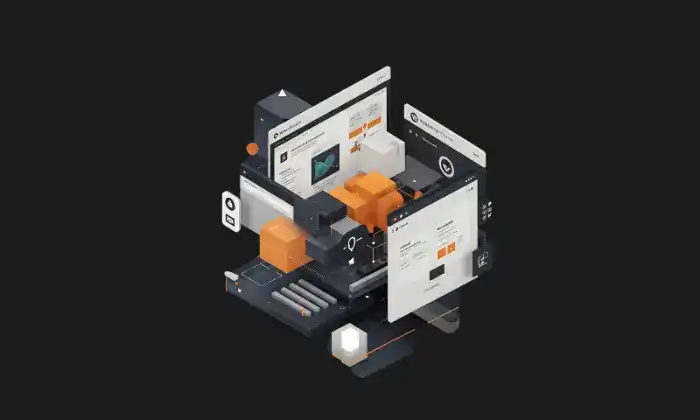
Everyone who creates digital content shares a dream: to see our unique ideas turned into an incredible website that inspires and connects. You surely know the thrill of that brilliant idea and perhaps also the frustration of trying to bring it to the screen exactly as you envisioned it.
The native WordPress editor, Gutenberg, has been a big step forward, offering a more intuitive block-based editing experience. However, many creative users soon discover its limitations. When you’re looking for truly custom designs, complex layouts, or sophisticated visual effects, you often hit an invisible wall that seems to demand coding knowledge or reliance on external, sometimes heavy and complex, page builders. This gap between imagination and the tool can be disheartening.
But what if there was a master key to unlock all of Gutenberg’s hidden potential? That key exists, and it’s called Kadence Blocks. It’s not a replacement for the native editor, but a powerful extension that transforms it from within. Imagine Gutenberg with superpowers: that’s Kadence Blocks. It’s no wonder that over 400,000 people already use and love it. And for good reason! What it does is awesome: it transforms the standard WordPress editor into a super flexible, easy-to-use design canvas with incredible capabilities.
If you want to leave restrictions behind and design WordPress websites with total freedom, this post is for you.
We’re going to dive deep into Kadence Blocks to show you how you can create those unique, attractive, and professional web pages you imagine, without the hassle! You’ll see it’s easier than you think to unleash your creativity, no matter how much or how little you know about tech.
What is Kadence Blocks and Why Should You Care?
Essentially, Kadence Blocks is a WordPress plugin that enriches the Gutenberg editor by adding a collection of highly customizable building blocks and advanced functionalities. Crucially, it operates directly within the native WordPress environment, extending its capabilities rather than imposing a completely separate interface.
The best thing about Kadence Blocks is that it allows you to create awesome, meaningful web pages without making your life complicated. You can achieve super professional results without touching a single line of code. It’s all about removing technical barriers so you can bring your creative vision directly to your website. It makes designing incredible things easy and accessible for everyone, right within WordPress!
But why is this so relevant? Kadence Blocks doesn’t just offer more blocks; it provides better blocks. Kadence blocks are like the upgraded version of the blocks you already know in WordPress. Each Kadence block comes with many more options and controls so you can customize the design to your liking—much more than with the standard ones! Think of it as a ‘turbo boost’ for the editor: it lets you do more advanced design things without the hassle, tasks that previously required more convoluted solutions.
This approach offers significant advantages over traditional page builders (like Elementor, Divi, or Beaver Builder ):
The success of Kadence Blocks lies in its ability to resolve a fundamental tension in the WordPress world. Traditional page builders offered great design power but often sacrificed performance and native integration. On the other hand, Gutenberg offered a native and fast experience but with significant limitations in design flexibility.
Kadence Blocks cleverly positions itself in this middle ground: Simply put, Kadence gives you the design freedom you want, without ever leaving the WordPress editor! Plus, and this is key, it makes sure your website runs fast thanks to its intelligent loading system. It’s the ideal combination if you’re looking for the best of both worlds: the power to design incredible things without sacrificing speed and without losing the convenience of working in WordPress.
The Pillars of Your Creativity: Essential Blocks
Kadence Blocks goes beyond adding simple content elements; it provides the fundamental tools to build truly custom layouts and visually rich designs. Let’s explore some of the most powerful blocks that will become the pillars of your creativity:
The Master Canvas: Row Layout Block
This is, without a doubt, the most fundamental and versatile block in Kadence Blocks. It acts as the main container for organizing your content into rows and columns, forming the foundation upon which you’ll build virtually any section of your page.
Imagine creating a stunning ‘hero’ section with a dynamic video background, a subtle gradient overlay that enhances text readability, custom-width columns for your headline and call to action, and meticulously adjusted spacing to look flawless on a smartphone… all managed from the intuitive options of the Row Layout block.
Headings That Impact: Advanced Heading Block
Headings are crucial for the structure and visual appeal of your content. The Advanced Heading block from Kadence goes far beyond a simple
Design eye-catching headlines with an elegant custom font that reflects your brand, highlight your main keyword with a vibrant contrasting color, and add a small thematic icon to reinforce the message. All this, directly from the block’s options, without needing custom CSS.
Irresistible Calls to Action: Advanced Button Block
A good button should not only be functional but also attractive and clear. The Advanced Button block gives you the power to design buttons that invite clicks.
Imagine creating a row of three buttons under your main offer: a primary one with a solid fill and clear text, a secondary one with an outline and transparent background, and a smaller third one with just an icon. Each with a subtle color animation on hover, visually guiding the user towards the desired conversion.
Images That Tell Stories: Advanced Image Block
Images are essential, but WordPress’s standard image block often falls short in creative options. This is where Kadence’s Advanced Image block shines, offering an arsenal of tools to transform your images into standout design elements.
Transform a simple profile photo into a memorable design element by applying an elegant circular mask, a subtle sepia filter for a nostalgic touch, and a soft shadow to make it pop against the background. Or apply a “blob” shaped mask to your team’s images for a modern, organic look.
This Advanced Image block is a clear example of how Kadence Blocks directly addresses the weaknesses of WordPress’s core editor. Image styling options in Gutenberg are notoriously basic. Previously, achieving effects like masks, complex borders, or filters required custom CSS or pre-editing images. By integrating these capabilities directly into the editor workflow , Kadence Blocks democratizes advanced visual design with images, making it accessible to users without technical knowledge and vastly elevating creative possibilities within WordPress.
Smart and Interactive Organization
Beyond the fundamental blocks, Kadence offers elegant solutions for presenting information in an organized and attractive way:
Dynamic and Engaging Content
Bring your site to life with blocks designed to display content dynamically and in visually interesting ways:
Essential Functionality
Kadence Blocks also covers key functional needs:
In addition to these, the free Kadence Blocks includes other useful blocks like Icon (for single or multiple icons ), Icon List (lists with custom icons ), Posts (to display blog entries in a grid ), Spacer / Divider (for space control and visual separators ), and Table of Contents (to automatically generate navigable indexes on long pages ).
Total Control on Any Screen: Simplified Responsive Design
In today’s digital landscape, a web design that isn’t responsive simply isn’t professional. Your site must look and function perfectly on the wide range of devices your visitors use: from large desktop monitors to tablets and smartphones.
This is where Kadence Blocks makes a fundamental difference. One of the major limitations of the standard Gutenberg editor is the lack of granular responsive controls. Kadence Blocks brilliantly solves this by integrating device-specific controls into most of its blocks and configuration options.
What does this mean in practice? It means you can adjust key parameters like:
All of this is managed intuitively through small device icons (desktop, tablet, mobile) next to the relevant configuration options.
Furthermore, Kadence Blocks greatly simplifies the responsive design process thanks to its integrated preview. You can easily switch between desktop, tablet, and mobile views directly within the WordPress editor while making your adjustments. This provides immediate visual feedback, allowing you to fine-tune the design for each screen size efficiently and without needing to constantly publish and review on actual devices.
This ability to control responsive design visually and granularly is a key factor that empowers users without coding knowledge. Traditionally, achieving true adaptability required writing complex media queries in CSS. Kadence Blocks abstracts this technical complexity, translating it into visual selectors and adjustments within a familiar interface. This democratizes the creation of professional and perfectly adaptable websites, a task that was previously daunting for many.
Consistent and Efficient Design: Global Styles and Workflow
Maintaining visual consistency across an entire website is essential for projecting professionalism and offering a smooth user experience. Consistent colors, typography, and spacing reinforce your brand and facilitate navigation. Kadence Blocks integrates several tools to achieve this consistency efficiently.
Synergy with Kadence Theme
While Kadence Blocks works with any theme, its integration with the Kadence Theme is particularly powerful and recommended for maximum efficiency.
This level of integration between the theme and blocks creates a very efficient design ecosystem. A centralized change in the Customizer propagates throughout the site, eliminating the need to manually edit each block. This synergy is a significant advantage over using disparate themes and block plugins, encouraging users to adopt the full Kadence suite for maximum productivity.
Consistency and Efficiency without Kadence Theme
Even if you don’t use Kadence Theme, Kadence Blocks offers tools to maintain consistency and optimize your workflow:
Workflow Optimization
Speed Up Your Flow with the Design Library
Starting from a blank canvas can be intimidating, and recreating common layouts over and over is inefficient. Kadence Blocks addresses this with its Design Library, an integrated collection of pre-built elements accessible directly from the WordPress editor.
This library is an invaluable resource offering different types of predefined content to drastically speed up your design process:
The benefits of using the Design Library are clear:
The inclusion of both fully styled Sections/Starters and unstyled Wireframes demonstrates an understanding of different user workflows. Those seeking quick, polished results can use Sections. Those who prefer a more structured approach, defining the content skeleton first (perhaps in collaboration with a client), will find Wireframes an ideal tool. This duality broadens Kadence Blocks’ appeal, serving both quick designers and methodical planners.
Taking Creativity to the Next Level: Kadence Blocks Pro
While the free version of Kadence Blocks is already impressively capable and generous in features , Kadence Blocks Pro exists for those seeking the maximum level of creative control, efficiency, and advanced functionalities. The Pro version unlocks a suite of premium tools designed to take your websites to the next level. You can purchase it individually or as part of Kadence WP’s bundles.
Let’s explore some of the most prominent exclusive features and blocks in Kadence Blocks Pro:
Key Pro Features
Exclusive Premium Blocks
Kadence Blocks Pro also includes a number of blocks not available in the free version:
Looking at the Pro feature set , a pattern becomes evident: while the free version lays a solid foundation for static design, the Pro version intensely focuses on enabling dynamic websites and advanced workflows. Features like Dynamic Content, Conditional Display, and content carousels are essential for sites managing changing data (blogs, stores, directories, membership sites). Other additions like Custom Fonts/Icons, Animations, Modals, and Form enhancements cater to more specific branding needs, greater interactivity, and professional or commercial functionalities. This draws a clear dividing line: Pro is the natural evolution for users moving beyond basic static websites and needing tools to manage dynamic content, implement advanced personalization, or achieve a highly polished brand identity.
Comparison: Kadence Blocks Free vs. Pro
To summarize the key differences, here’s a comparison table:
| Feature | Kadence Blocks (Free) | Kadence Blocks Pro |
|---|---|---|
| Base Blocks | Row Layout, Advanced Heading, Advanced Button, Advanced Gallery, Tabs, Accordion, Form, Icon, Info Box, Posts, Testimonials, Lottie, etc. | All free blocks + Image Overlay, Modal, Video Popup, Post/Product/Portfolio Grid/Carousel, Split Content, Advanced Slider, User Info, etc. |
| Layout Controls | Advanced (Columns, Backgrounds, Spacing) | Advanced |
| Responsive Controls | Granular (Desktop, Tablet, Mobile) | Granular |
| Design Library | Free Sections/Patterns, Wireframes (Access may require Cloud Connect post-V3 ), Starter Templates (Limited) | Full access to Premium Sections/Patterns and all Starter Templates |
| Dynamic Content | No | Yes (Custom fields, post/user data, etc.) |
| Conditional Display | No | Yes (Based on user, post, etc.) |
| Custom Fonts | No (Uses Google/System fonts) | Yes (Upload own fonts, Adobe Fonts) |
| Custom Icons | No (Uses integrated library of 1500+) | Yes (Upload own SVGs or sets) |
| Animations (On Scroll) | No | Yes |
| Advanced Form | Basic (Fields, Email, Redirect) | Pro Addons (Auto-reply, Integrations, Save Entries) |
| Page Specific Scripts | No | Yes (CSS/JS) |
| Support | Community Forum | Premium Support |
(Table based on information from and other cited sources)
Design Without Sacrificing Speed (Brief Mention)
With so many options and design power, you might wonder if Kadence Blocks slows down your website. The answer is a resounding no. Since its inception, performance has been a fundamental priority for the Kadence team.
The key lies in their Intelligent Load approach. Unlike other tools that might load large style and script files on every page, regardless of whether they’re used or not, Kadence Blocks is much more efficient. It only loads the CSS and JavaScript code strictly necessary for the specific blocks you’ve used on that particular page.
The result is cleaner, lighter code, which directly translates to faster load times and a better overall user experience. With Kadence Blocks, you don’t have to make compromises: you can enjoy unprecedented creative freedom and maintain a fast, optimized website.
Conclusion
Kadence Blocks emerges as a transformative solution in the WordPress ecosystem. It goes beyond being merely a set of additional blocks; it acts as a catalyst that unlocks the true creative potential of the Gutenberg editor, removing many of the barriers that previously separated your ideas from digital reality. We’ve seen how its essential blocks, like the versatile Row Layout or the detailed Advanced Image, offer a level of design control previously reserved for more complex tools or custom code.
What’s most inspiring is that this power is delivered with a focus on ease of use and efficiency. The intuitive controls, integrated responsive preview, and helpful Design Library make creating sophisticated websites accessible to everyone, not just experienced developers. You no longer need to be a coding expert to build a unique, professional, and visually stunning website.
The combination of design flexibility, native WordPress integration, performance optimization, and a robust ecosystem (especially with Kadence Theme and Kadence Blocks Pro) positions Kadence Blocks as a leading tool for anyone wishing to exercise total creative freedom over their online presence.
The possibilities that open up with Kadence Blocks are immense. It’s time to stop feeling limited by your tools and start building the websites you’ve always imagined. Your creativity is, now more than ever, the only limit.

Elias Ramirez
Behind KadeRank is me, its founder, with 11 years dedicated to the world of Web positioning (SEO), site optimization and WordPres. I help companies and entrepreneurs to build and improve their Internet presence with fast, effective and well-positioned websites, specializing in the Kadence WP environment.
